Your account and Google sign-in
When you sign in with Google, Clario receives your Google account identifier, email address and profile name to create or identify your Clario account. Our server stores account information and session records to authenticate you and control access to your data. Google handles your Google password; Clario does not receive it. You can instead sign in with an email and a password, which our server receives to check it. On a computer, the email you type into sign-in is sent to our server as you type it and kept with that install, before any account exists.
Google Calendar access
Connecting your calendar is optional. With your permission, our server reads events from your primary Google Calendar to display your schedule and, according to your chosen settings, send a meeting bot even when your computer is offline.
The calendar cache includes event identifiers, titles, times, meeting links and your response status. Clario stores an encrypted refresh token on its server to keep the connection working. Calendar data is also cached on your device for the calendar view.
The requested Google permission, calendar.events, permits
viewing and editing events. The current calendar integration reads events;
it does not yet create, change or delete your Google events. It does not
request Gmail access. Google Drive access is a separate permission, which sign-in
with Google also asks for and which you can leave unticked (see Google Drive).
Clario uses Google data to provide the features you request. We do not sell Google user data, use it for advertising, or use it to train generalized AI models. Our use and transfer of information received from Google APIs follows the Google API Services User Data Policy, including its Limited Use requirements.
Local recordings and screen text
In Local Recording mode, captured audio and imported audio files are processed on your device. Transcription runs locally, and no audio is sent to a speech-to-text provider. Audio can leave your device in two ways, described below: your own Google Drive, if you connect it, and, on a computer, training contributions. The Android and iPhone apps make no training contributions.
On a computer, if you use screen context, text recognition happens locally. Recorded screen images are not sent to a summary provider. Your local library contains the recordings, transcripts, summaries and related information that you keep in the app.
Meeting text on our server
So that a meeting is on all your devices, each app sends its text to Clario's server: the title and times, the transcript, the minutes and their chapters, the tasks you tick, deletions, and which file in your Drive holds the recording. This happens on its own once you are signed in and cannot be switched off. It includes what other people said in the meeting.
Our server stores this text in a form it can read, so that it can be searched. It is not end-to-end encrypted and the disk it is on is not encrypted. It is sent over an encrypted connection, the database cannot be reached from the internet, and apart from you only the people who operate Clario's server can reach it. It never includes audio, video, images or screen text. It is deleted with your account.
If you connect your own assistant to Clario, such as Claude, that assistant can read your meetings' text, your upcoming events and your account setup. It is off until you connect one, it only reads, and its provider's terms apply.
Phone permissions
On Android, Clario asks for the microphone, to record when you press Record, including while the screen is off, and for notifications, to show a recording in progress and tell you what happened to it. Recording and transcription happen on the phone. Clario does not use your location, contacts, photos, or advertising identifier, and shows no ads.
To bring a change over sooner, Clario may register your phone with Firebase Cloud Messaging on Android or Apple Push Notification service on iPhone. The push says only that there is something to sync. It carries no meeting content.
Training contributions
Clario uses meeting audio to improve its transcription. In the Mac and Windows apps, the audio of completed meetings is uploaded to storage Clario operates, one meeting at a time while the app is open and idle. There is currently no setting that turns this off. The phone apps do not do this. For a local recording that is its microphone and computer-audio tracks; for a server meeting bot recording, the mixed recording.
It never includes the screen video, the meeting title, the transcript, screen text, calendar data, file paths or participant names. The audio is kept with no deletion date; contact us to ask for its removal. The people you record are in this audio, so tell them you are recording.
Google Drive
If you connect a Google account for Drive, Clario copies your meetings'
recordings, their audio and video including a screen recording, into a folder
of Clario's in your own Google Drive on its own, over Wi-Fi or mobile data, and
plays them from there on your other devices. Clario asks only for the
drive.file permission, which reaches the files Clario creates and
nothing else in your Drive.
Our server keeps that permission's refresh token, encrypted, and gives the app short-lived access. The file goes from your device straight to Google and does not pass through our server. Once a copy in Drive is confirmed, Clario can remove a recording's local copy to free space. Deleting a meeting in Clario deletes it from your devices and its recording from your Drive. Clario no longer sends the minutes, the transcript or screen text to Drive; earlier versions may have left such files in Clario's folder, which you can delete.
If you share a link with video, Clario puts a copy for sharing in your Drive that anyone with the link's page can play, until the link is taken down or ends.
Server meeting bots
Server Bot mode is a separate recording path. When you request a bot or enable automatic joining, a bot joins the meeting and captures audio in Clario-controlled infrastructure using Vexa. This meeting audio is processed on the server for recording and delivery, then downloaded to your device for local transcription.
Our server stores meeting identifiers and links, bot status and account access records to operate the bot and deliver its recording. Other authorized participants using Clario may have access to the same bot recording. Removing your access does not remove another participant's access.
Use meeting bots only when you have permission to record, and tell participants that recording is taking place.
AI summaries and questions
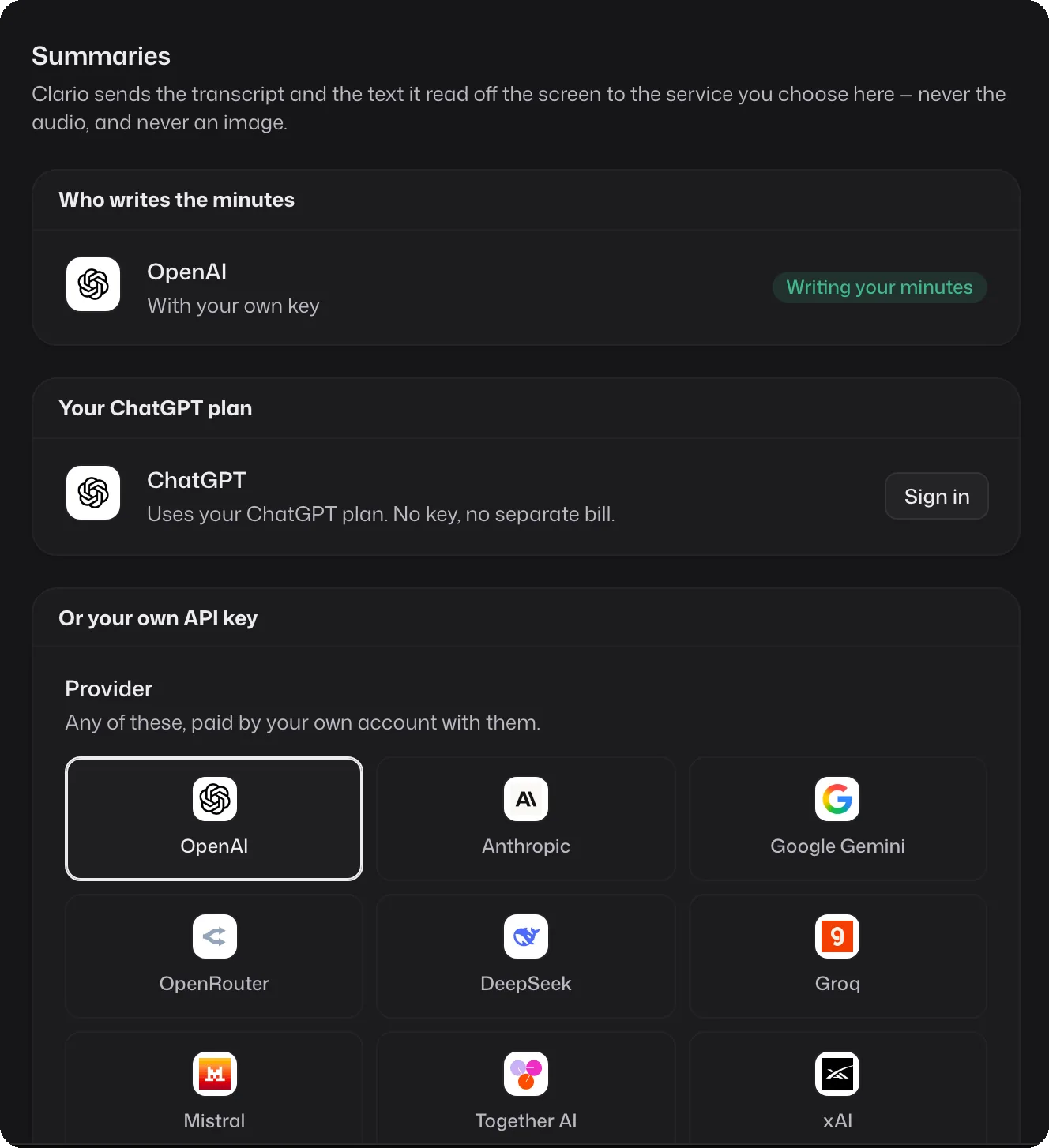
When you request a summary or ask a question using an AI provider, relevant transcript text, your question and any included screen text are sent to the provider you selected. Audio and screen images are not sent through this summary path.
The provider connection you configure is used for these requests. Desktop provider credentials are stored on your device. The provider processes requests under its own privacy and retention terms, which you should review before sending meeting content.
Links you share and Recaps
When you publish a meeting as a link, our server stores it encrypted, with a key that is only in the link. When a reader asks a question on that page, our server opens that one link in memory and sends its minutes and transcript to Anthropic to answer. Readers' emails, questions counted and comments are kept until the link closes.
On a computer, making a Recap sends the meeting's title, minutes, transcript and some text read off the screen through our server to Anthropic and ElevenLabs. No audio, video or image is sent, and our server keeps none of the text.
Problem reports
When you press Send on a problem report, the description you typed, a screenshot if you attached one and an excerpt of the app's log go to our server. The log holds no meeting content.
Usage information and service operation
Clario collects usage counts, durations, app and operating-system versions, and typed error codes to understand reliability and feature use. This telemetry may be associated with your Clario account. It does not contain recording titles, transcripts, screen text, audio, images or file paths. It is sent from the first time the app opens, before sign-in too, with a random identifier for the install. There is currently no setting that turns it off. On Android it covers the app being opened and how syncing went.
Our hosting infrastructure processes network information, such as IP addresses and request metadata, when you visit the website or connect to the service. Operational records help us run and troubleshoot authentication, calendar connections and meeting bots.
Who processes your information
Google processes sign-in, calendar and Drive requests, and stores training contributions in a Google Workspace shared drive that Clario operates. Our hosting infrastructure processes server account, meeting text, calendar and bot data. Firebase and Apple deliver pushes, and Anthropic and ElevenLabs process what Links and Recaps describe. The AI provider you choose processes the text you submit to it. These services may process information outside your country.
Access to server data is restricted to operating and supporting the service. Google refresh tokens are encrypted at rest. We may disclose information where required by law. No storage or transmission method can guarantee absolute security.
Retention, deletion and your choices
- Local library: recordings and related data remain on your device until you delete them, except recordings Clario frees once your Drive holds them. Copies you export or back up are managed separately.
- Calendar: disconnecting in Clario deletes the server's calendar grant and associated cached events and channels. You can also revoke access in your Google Account connections. Revoking Google access does not itself delete your Clario account.
- Server records: account, meeting-text, bot-delivery and operational records are retained to provide and maintain the service. You can delete your account and the data our server holds for it, including bot recordings, in the app or by contacting us; see how to delete your account. Backups and legal obligations can affect what can be removed immediately.
- Training contributions: uploaded audio is kept with no deletion date. Contact us to ask for its removal.
- Google Drive: recordings Clario copies are in your own Drive, under your control, until you or a deletion in Clario removes them.
- AI providers: deleting a local summary does not delete data already processed by your selected provider. Its retention and deletion procedures apply.
You may contact us to request access, correction or deletion of personal information, or ask about retention. We may need to verify that a request concerns your account before acting on it.
Contact and policy changes
For privacy questions or requests, email abhishek@emiactech.com.
We will update this page when our data practices change and revise the date above. Changes that require additional permission will be presented through the relevant consent flow.